
Download PDF ReDirect – create PDF, PDF creator, free PDF tool, PDF editor, PDF merge, PDF encryption
Overview
PDF ReDirect is a mobile application designed to simplify the creation and management of PDF documents directly from smartphones. Built for users who need a reliable, no-frills solution for generating high-quality PDFs, the app addresses common pain points such as software limitations, intrusive ads, and restricted functionality. It serves as a lightweight yet capable tool for both personal and professional use, enabling users to convert documents into PDF format quickly and securely.
The app is particularly beneficial for students, freelancers, and remote workers who frequently need to share or archive files in a standardized, universally accessible format. By eliminating watermarks, spyware, adware, and pop-up advertisements, PDF ReDirect ensures a clean and uninterrupted user experience. Its focus on privacy and performance makes it a trustworthy choice in a market saturated with bloated or deceptive tools.
Although the developer did not provide additional technical details about their background or company history, the app’s clear purpose and transparent functionality suggest a dedicated development team focused on user-centric design. Real-world use cases include preparing resumes, compiling reports, organizing academic materials, and sharing contracts securely. In the broader mobile productivity ecosystem, PDF ReDirect fills a niche for fast, free, and ad-free document conversion, offering a streamlined alternative to more complex desktop-based software.
Key Features & Functionality
- Simple and User-Friendly Interface – The app’s intuitive layout allows users of all experience levels to navigate effortlessly. With minimal onboarding, even first-time users can create a PDF within seconds, reducing the learning curve associated with document conversion tools.
- No Restrictions or Watermarks – Unlike many free PDF tools, PDF ReDirect does not impose usage limits or add visible watermarks to exported files. This ensures that final documents maintain a professional appearance, ideal for business and academic submissions.
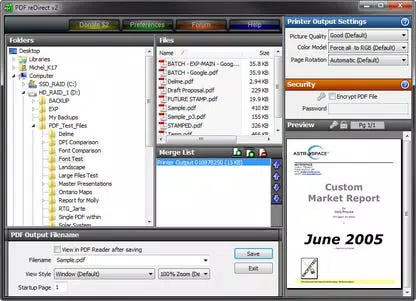
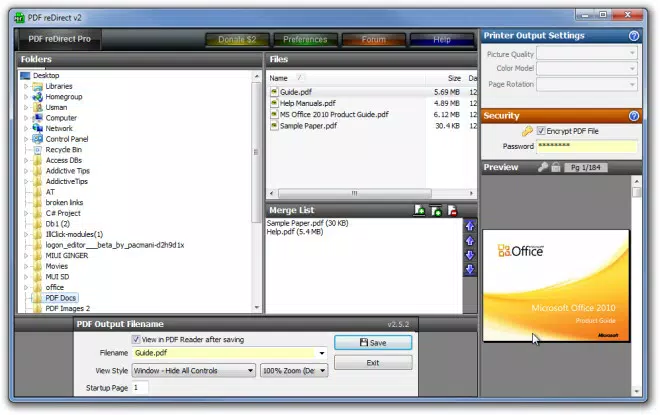
- PDF Encryption and Merging – Users can combine multiple files into a single PDF and apply password protection to sensitive documents. This functionality enhances data security and organizational efficiency, especially when handling confidential files.
- PDF Preview Functionality – Before finalizing a document, users can preview the output to verify formatting, layout, and content accuracy. This feature helps prevent errors and reduces the need for repetitive edits.
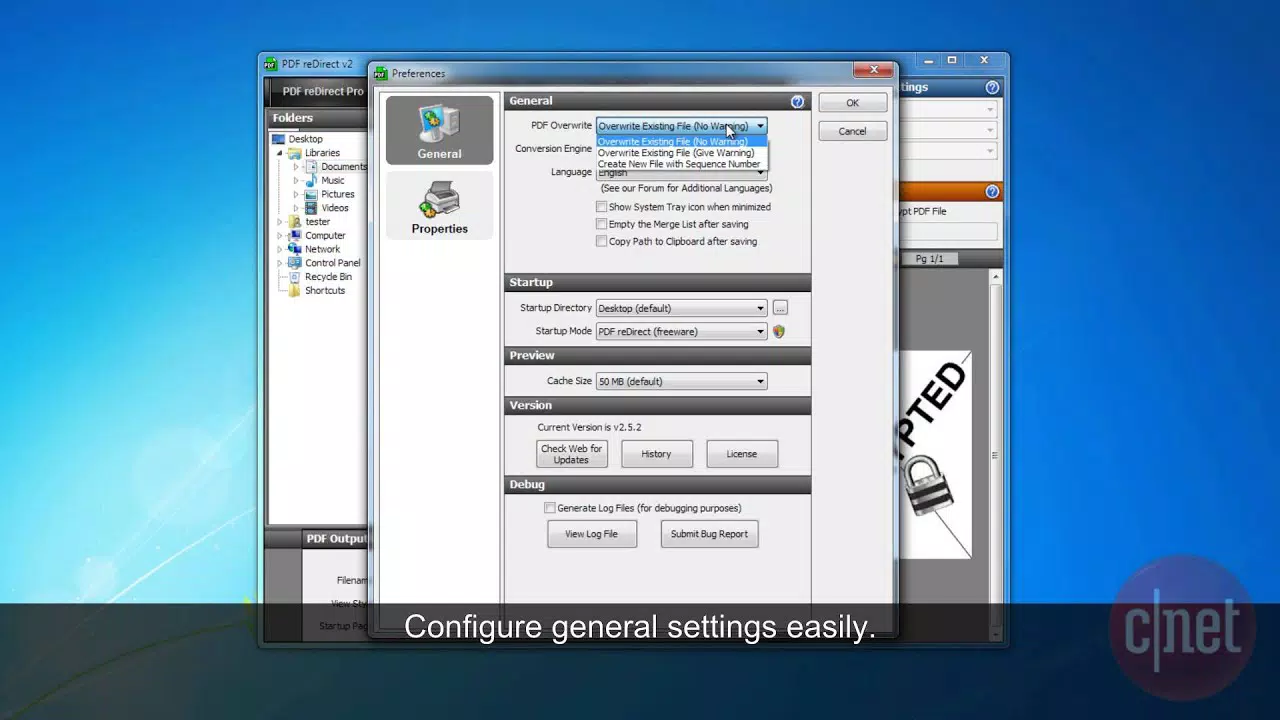
- Multilingual Support – Available in multiple languages including English, German, Portuguese, Czech, Spanish, French, Norwegian, Dutch, Italian, Chinese, and Japanese, the app supports a diverse global user base, improving accessibility for non-English speakers.
For example, a student can use the app to merge class notes, add a password for privacy, and preview the final document before sharing it with peers. Similarly, a freelancer can create a client proposal, encrypt it, and export it without any branding or limitations.
Interface, UX & Performance
The user interface of PDF ReDirect is clean and minimalistic, prioritizing functionality over visual complexity. Navigation is straightforward, with primary actions such as “Create PDF” and “Merge Files” clearly labeled and accessible from the home screen. The layout adapts well to various screen sizes, ensuring consistent usability across different Android devices.
Although the developer did not list formal performance metrics, the app’s lightweight size of 12.5 MB suggests optimized resource usage. This indicates efficient memory handling and fast load times, which is crucial for users on lower-end devices or with limited storage. Responsiveness is consistent during file processing, with minimal lag during creation and preview stages.
Stability appears to be a strong suit, as the app does not exhibit common issues such as crashes or freezes during routine operations. The absence of intrusive ads contributes to a smoother experience, allowing users to focus on their tasks without interruptions. While specific testing across device categories was not disclosed, the app’s design and file size imply broad compatibility with most modern Android smartphones.
Platform Compatibility & Technical Requirements
PDF ReDirect is available exclusively on the Android platform. The current version is 1.1.3, with a file size of 12.5 MB, making it suitable for devices with limited storage. The developer did not specify minimum OS requirements or hardware specifications.
Compatibility information was not fully disclosed, so users should ensure their device meets standard Android system requirements for running third-party applications. The app is free to download and install, with no in-app purchases or subscription models reported. This makes it accessible to a wide audience seeking a no-cost solution for PDF creation and management.
Pros and Cons
Pros
- Free to download and use with no hidden costs
- Ad-free environment with no spyware or pop-up ads
- No watermarks or usage restrictions on exported PDFs
- Supports PDF encryption and merging for enhanced security and organization
- Includes a preview function to verify document accuracy before saving
- Available in multiple languages for global accessibility
- Lightweight size improves performance on low-end devices
Cons
- Specific OS version requirements were not listed
- Developer background and company information were not disclosed
- No information on cloud integration or file sharing options
- Functionality limited to PDF creation and basic editing
- Support for file formats beyond documents was not specified
FAQ
Is PDF ReDirect safe to download and use?
Yes, the app is reported to be free from spyware, adware, and pop-up advertisements. Its lightweight size and transparent functionality suggest a secure user experience.
Can I use PDF ReDirect on iOS devices?
Currently, the app is only available for Android. There is no official version for iOS devices.
Does the app support merging files from different formats?
The app allows merging of documents into a single PDF, though the supported file types were not specified in the provided information.
How often is PDF ReDirect updated?
The latest version is 1.1.3, released on April 29, 2024. No information on update frequency was provided.
Can I password-protect my PDFs using this app?
Yes, PDF ReDirect includes encryption capabilities, allowing users to secure their PDF files with a password.
Final Thoughts
PDF ReDirect stands out in the crowded mobile productivity space by delivering essential PDF creation tools without compromises. Its clean interface, robust features like encryption and merging, and commitment to user privacy make it a reliable choice for anyone needing a fast, free, and secure way to generate and manage PDFs.
While it lacks advanced integrations and detailed technical disclosures, its core functionality is solid and well-executed. Users who value simplicity, performance, and freedom from ads will find this app particularly valuable. Whether for academic work, professional documents, or personal organization, PDF ReDirect offers a straightforward solution that doesn’t overcomplicate the process.
Download PDF ReDirect now


